
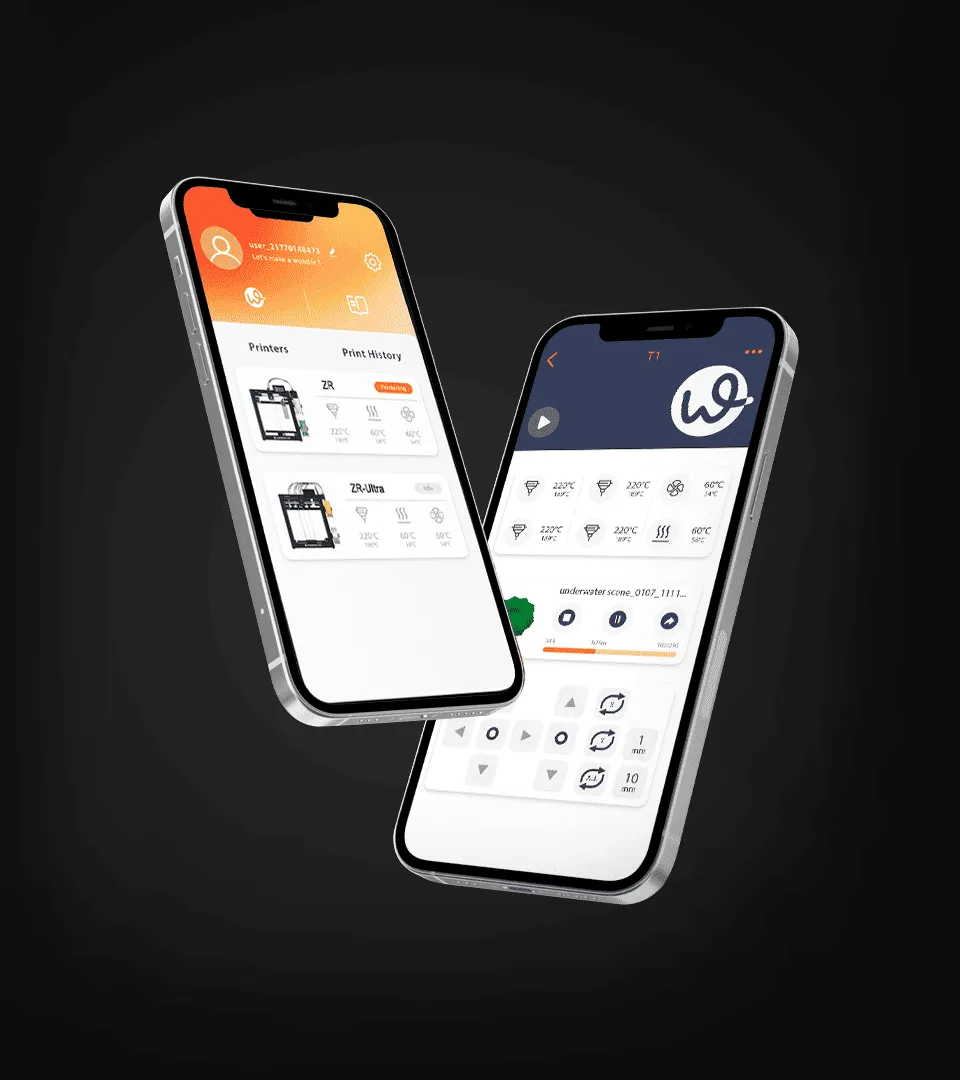
Modern 3D printing involves more than preparing a digital model and pressing the print button. From file preparation and slicing to printer control and production monitoring, software plays an important role in keeping the entire process organized. The right apps for 3D printing can help users prepare models, adjust print settings, monitor jobs, and manage multiple printing tasks more efficiently.
For professional users, choosing suitable software is especially important because printing workflows may involve different materials, machines, file formats, and production requirements. Understanding what each type of app does can make it easier to build a practical software setup.

What Are Apps for 3D Printing Used For?
Apps for 3D printing cover several stages of the manufacturing process. Some applications focus on creating or editing 3D models, while others prepare those models for printing. There are also tools designed to control printers, monitor active jobs, and manage files or production tasks.
A typical workflow starts with a 3D model in a format. Modeling software can be used to create or modify the design. The model is then imported into slicing software, where it is converted into instructions that the printer can understand. Depending on the printer and software ecosystem, a companion app may then be used to start, monitor, or manage the print.
Understanding these different functions is more useful than looking for one application that performs every task. Each stage has different requirements, and the best setup depends on the user’s workflow.
Why Slicing Software Matters
Slicing is one of the most important steps in 3D printing because it converts a three dimensional model into printable layers and machine instructions. Slicing software allows users to configure parameters such as layer height, infill density, print speed, support structures, and material settings.
These settings can directly affect print quality, strength, production time, and material consumption. For example, a smaller layer height can improve surface detail but may increase printing time. Higher infill can provide additional internal strength while requiring more material.
Professional workflows therefore benefit from slicers that provide precise control while maintaining a clear interface. Compatibility with the printer is also important. A software platform should support the relevant machine profiles and materials so users can avoid unnecessary manual configuration.
How Printer Control Apps Improve Workflow Management
Printer control applications provide another useful layer of functionality. Instead of interacting with the printer only through its physical interface, users may be able to send files, start or pause jobs, check progress, and review printer status through a connected device.
This becomes particularly useful when several printing tasks are running throughout the day. Remote monitoring can reduce the need to remain next to the printer and can make it easier to identify whether a job has completed or requires attention.
However, connectivity should not be the only consideration. Users should also evaluate whether the application works reliably with their printer, whether file transfers are straightforward, and whether important information such as print progress and machine status is presented clearly.
What Should Professionals Look for in 3D Printing Software?
The most suitable software depends on the user’s equipment and production process, but several factors are broadly relevant. Compatibility should come first. An application is only useful if it supports the printer, operating system, file formats, and materials being used.
Ease of configuration is another important consideration. Professional users often need detailed control, but complicated interfaces can slow down routine tasks. Good software should make commonly used settings accessible without preventing experienced users from making more advanced adjustments.
File management also matters when projects involve multiple versions of the same model. Clear naming, organized storage, and support for common 3D file formats can reduce mistakes and make previous projects easier to locate.
For connected printers, stability and monitoring functions are equally important. A useful application should provide timely information about active jobs and make basic printer management convenient.
Exploring Software Designed for Connected 3D Printing
Some printer manufacturers provide their own software ecosystem to connect hardware with model preparation and printer management. WonderMaker 3D, for example, provides software resources designed to support its 3D printing workflow.
Using software that is designed around compatible hardware can simplify configuration and reduce compatibility issues. It can also provide a more consistent workflow between preparing a model and sending it to the printer.
That does not mean manufacturer specific software is always the only option. Experienced users may combine different modeling, slicing, and printer management applications according to their needs. The key is to confirm compatibility and ensure that the overall workflow remains reliable.
How to Build a Practical 3D Printing Software Workflow
A practical workflow should minimize unnecessary steps between design and finished print. Start by selecting modeling software that matches the complexity of the projects. Simple designs may require only basic modeling tools, while engineering projects may need more advanced CAD capabilities.
Next, establish consistent slicing settings for frequently used materials and print types. Saving tested profiles can reduce repeated setup work and improve consistency between projects.
Finally, use printer management tools where they provide clear value. For a single desktop printer, direct control may be sufficient. For multiple machines or frequent production jobs, centralized monitoring and file management can become much more useful.
It is also worth reviewing software regularly. Updates may improve compatibility, introduce new functions, or address known issues. At the same time, users should avoid changing a stable workflow without testing new software or settings first.
Making Software Part of a Reliable Printing Process
The right apps for 3D printing should support the entire workflow rather than simply add more features. Model preparation, slicing, printer control, file management, and monitoring each serve different purposes, and the best software combination is one that fits the user’s actual equipment and working habits.
For professionals, compatibility, control, reliability, and workflow efficiency are more important than the number of features listed by an application. By choosing software based on these practical requirements, users can create a more organized 3D printing process and make better use of both their digital models and printing hardware.
